
Pura SupportCompliance technology
Pura / Customer portals
Customer portals

The customer should not have to chase the evidence.

A Pura customer portal is an authorised route into relevant compliance information: retrieve evidence, understand the wider position and move from an issue to its context.

Evidence-ledControlled accessHuman judgement
Approved customer-facing product proof

See the wider position. Open the exact Asset.

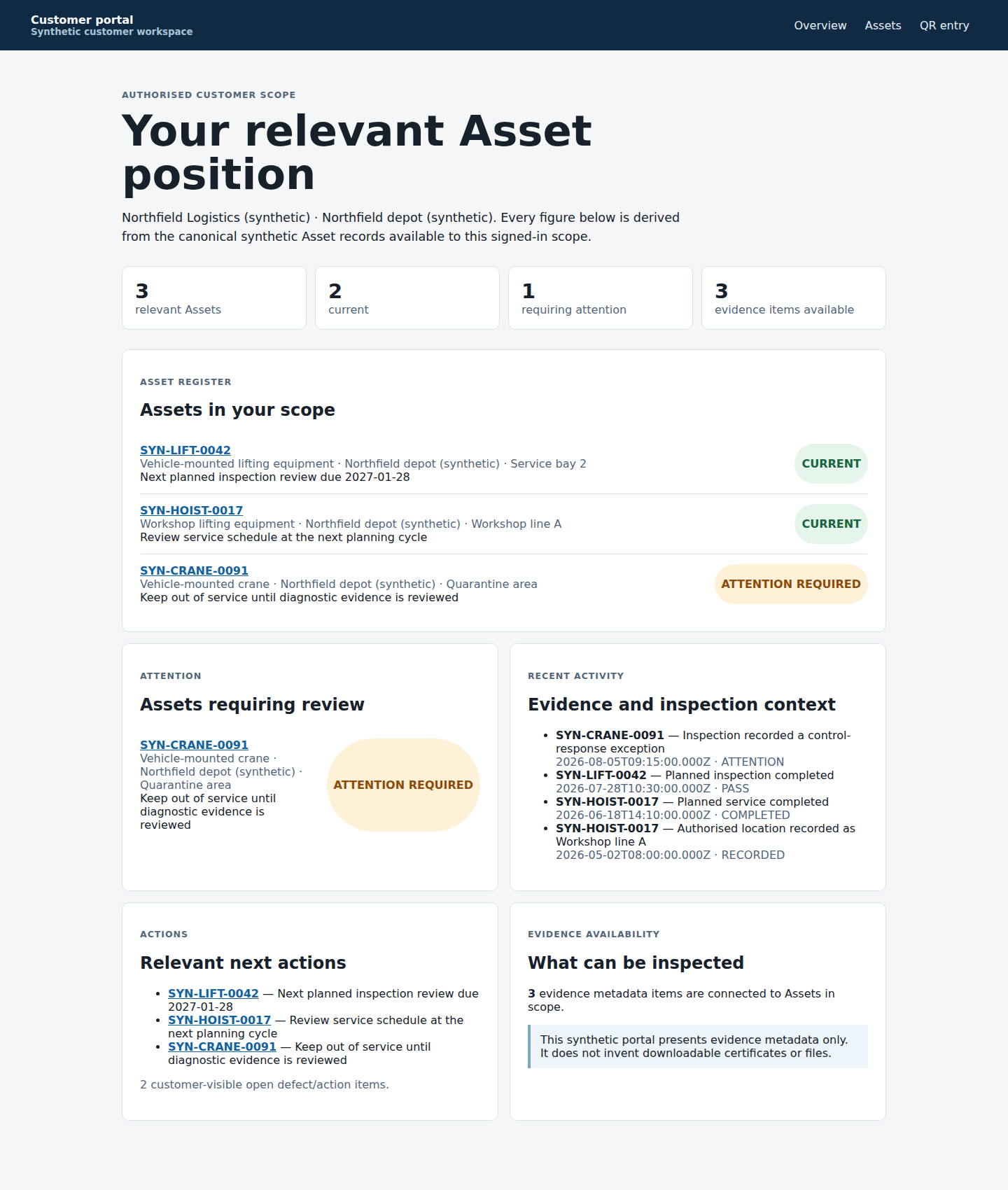
Genuine synthetic product evidence shows the customer-scoped overview and the bounded Asset record it opens. Every figure comes from authorised canonical records; this is not a customer deployment, endorsement or outcome claim.

Synthetic customer portal overview showing scoped Asset totals, current and attention status, exact Asset links, recent evidence activity and next actions
Verified product evidence

Customer portal overview

Capability: Customer portals

An authorised customer can see the relevant Asset population, what is current, what needs attention and the evidence or action behind each item.

Verified product evidenceSynthetic demonstration data captured from governed customer-scoped product implementation. No customer deployment or outcome is implied.
Inspect customer access
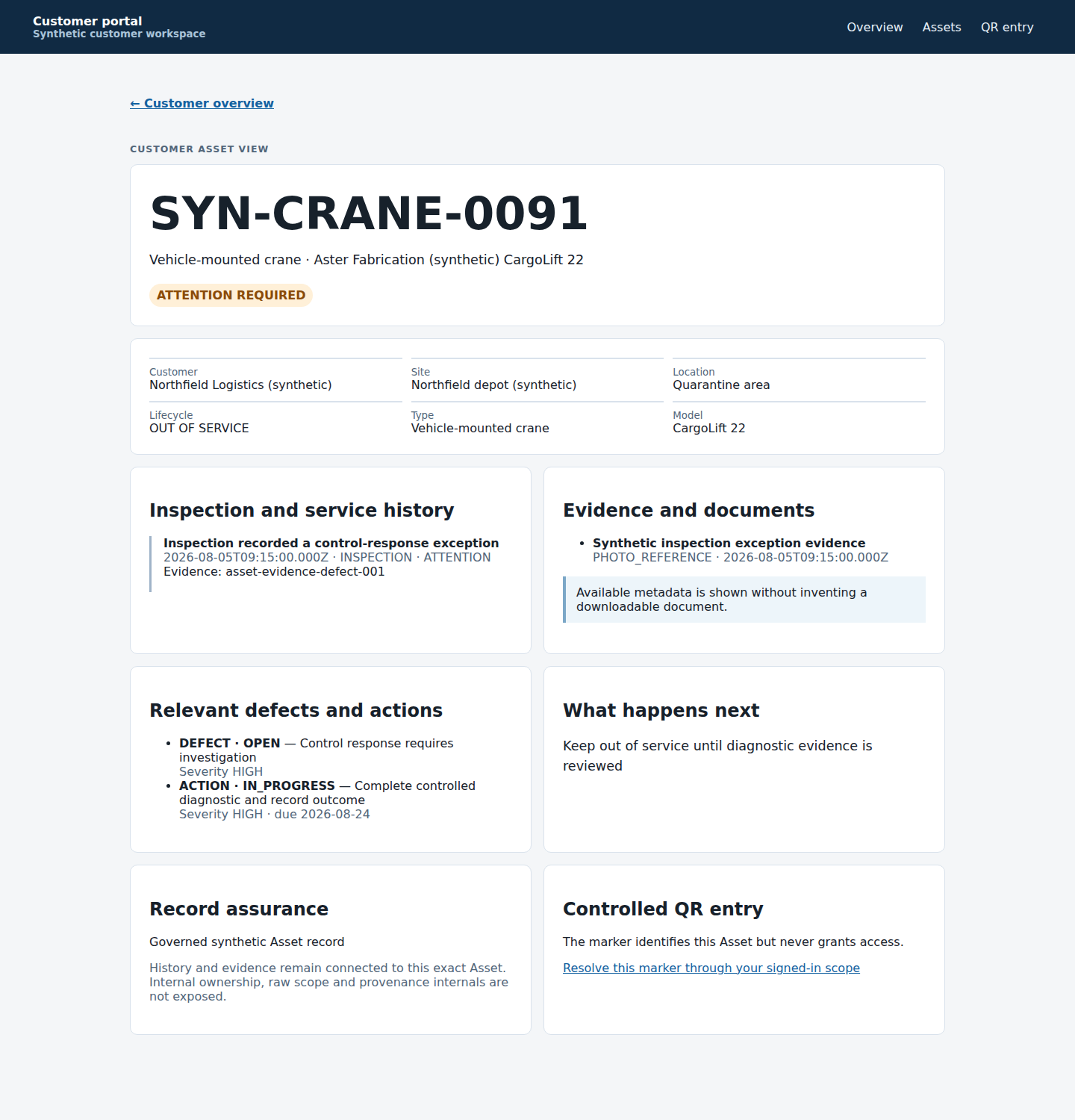
Synthetic customer Asset view showing authorised identity, status, inspection and evidence history, permitted defect and action context, and next action
Verified product evidence

Customer asset view

Capability: Customer portals and asset access

The customer view answers which Asset this is, its current status, what evidence and history are available, what action is relevant and what happens next.

Verified product evidenceSynthetic demonstration data captured from a governed customer field projection. Internal-only fields are excluded; no customer deployment is implied.
Review customer Asset access
Two views

Wider position and individual asset

The useful starting point depends on the question and permissions established for the service.

Compliance position

See relevant records, exceptions, actions and evidence across the agreed scope where enabled.

Individual asset

Move directly to one asset's record when checking equipment or investigating a result.

Context

Relate a report or certificate to asset information, history and associated actions.

Retrieval

What an authorised customer may need

The exact record set depends on service and access model; the proposition is built around operational questions, not a generic document library.

Reports

Find inspection or examination reports and understand the activity behind them.

Certificates

Retrieve formal evidence where produced and made available.

History, defects and actions

Review previous activity and follow-up where the service records it.

Briefing

Identify what deserves attention before drilling into evidence.

Access model

Useful information needs a boundary

Portal access is not unrestricted public browsing. It depends on authorisation, customer scope and service configuration.

Controlled access

Ask what this person can retrieve for this customer or asset.

Evidence boundary

Missing authorisation or evidence should remain visible rather than becoming implied certainty.

Next conversation

Discuss a defined requirement.

Discuss the evidence, access and decisions that currently create friction.